Understand HTTP with Diagrams and Exercises
"I opened the Network tab in DevTools, but I have no idea where to look." "Someone asked me the difference between 404 and 403 and I froze." — Once you start building for the Web you touch HTTP every day, yet its contents are surprisingly hard to read. Rather than memorizing HTTP, this course builds one habit: HTTP is a correspondence written in plain text, and every time you read it you check the same three things — what was asked (method and path), how it went (status code), and the conditions and notes attached (headers). You grasp the structure with diagrams, then confirm it with short exercises and a simulator placed along each chapter.
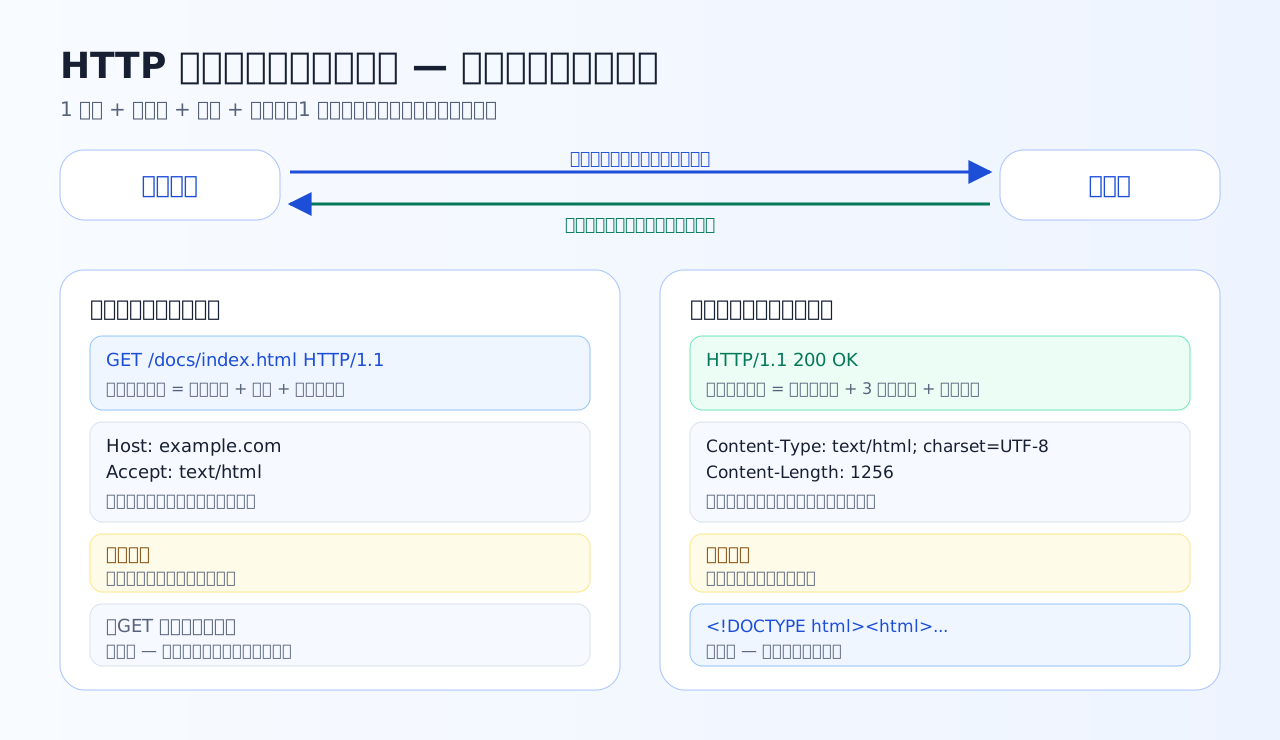
This one round trip of text is all HTTP really is. Request and response both share the same skeleton: "first line + headers + blank line + body". Keep this skeleton in mind and every chapter that follows becomes easier to read.
What makes this course different
The view that runs through this course — read the correspondence as a three-part set
HTTP is a correspondence written in text, exchanged between browser and server. However intimidating an output looks, you can always read it by checking the same three points. As the chapters progress, your resolution on each point keeps increasing.
The watchword of this course: whenever DevTools or curl output threatens to overwhelm you, do not stop thinking — read: What was asked? How did it go? What conditions and notes are attached?
Chapter overview
Tips for studying
- Proceed in the order text → the short exercises right below it. Solving immediately after reading sticks far better than saving questions for later.
- Do not do the Chapter 5 calculation questions in your head — write out receive time, elapsed seconds, and max-age on paper. "How many seconds of freshness remain" becomes something your hands know.
- Touch the Chapter 5 simulator both before and after solving its exercises. The relation between 304 and transfer size turns into physical intuition.
- After the course, open the DevTools Network tab in your real browser and try the three-part reading on sites you visit every day. The same skeleton as the course material appears.
- If you get stuck on a Chapter 7 case, go back to the corresponding chapter for just one or two passes. There is no need to redo everything.
Prerequisites before you start
- Being at the stage of starting — or about to start — building websites or apps is enough. No server operations experience is required.
- If you have ever seen a URL (something like
https://example.com/path), you can start from Chapter 1. - The command examples in Chapter 6 are shown in copy-and-try form, but the course is written so you can read it through entirely on paper without running them.