Understand TCP with Diagrams and Exercises
"I can see the timeout in the logs, but I can't investigate any further." "I open a packet capture, but I have no idea what the seq and ack numbers are telling me." — We use TCP every day, yet it is surprisingly hard to explain what is inside. Instead of memorizing TCP, this course aims to make you able to follow captures and incident logs yourself, through the eyes of sequence numbers and windows. Diagrams give you the big picture, and short exercises with hand calculations placed throughout each chapter let you verify your understanding as you go.
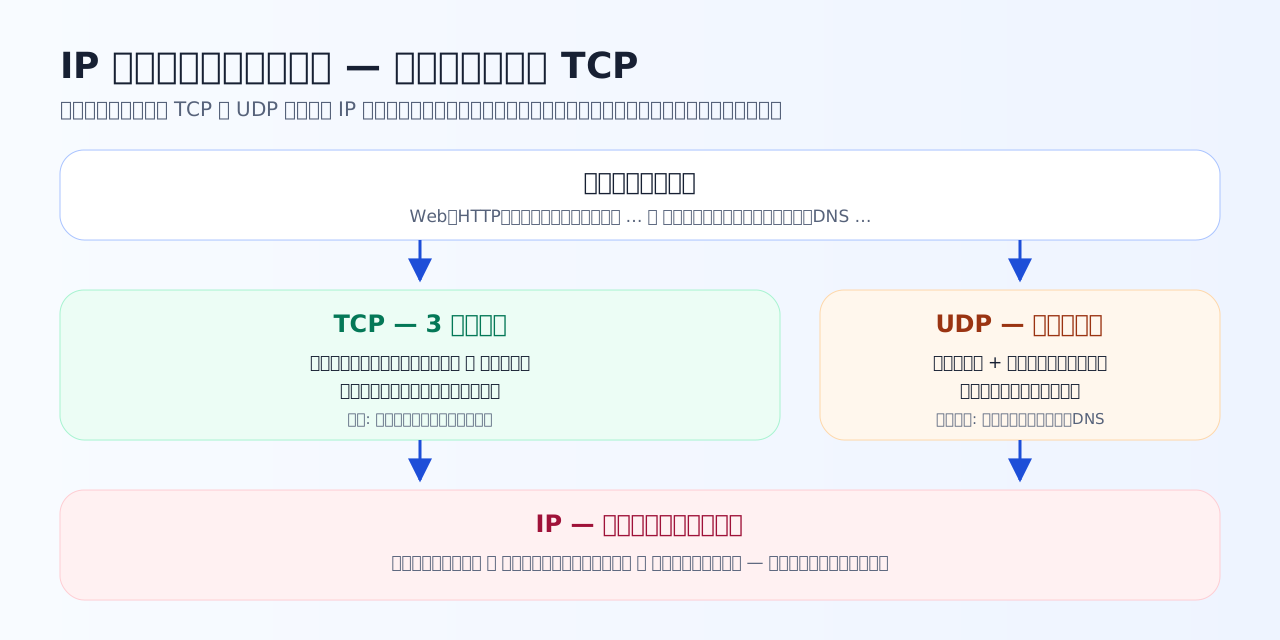
IP promises no more than "it will probably arrive." TCP sits on top of it and keeps three promises on behalf of the application. Keep this division of labor in mind and every later chapter becomes easier to read.
What makes this course different
The three promises that run through this course
TCP looks like a pile of mechanisms, but every one of them exists to keep one of three promises. As the chapters progress, picture more and more parts being added under each promise.
This course's motto: when you look at a capture or an incident log, do not stop thinking there — ask: which promise is being broken right now — delivery, ordering, or pacing?
Chapter overview
Tips for studying
- Go in the order text → the exercises right below it. Answering immediately after reading sticks far better than saving questions for later.
- Do not do the calculation questions in Chapters 3–5 in your head — write out the byte numbers and the window edges on paper. The feeling that capture numbers are "readable" comes from your hands.
- Play with the Chapter 4 simulator both before and after the exercises. The formula "window ÷ RTT" turns into intuition.
- If a Chapter 7 case stumps you, go back to the corresponding chapter and review just one or two passes. You do not need to redo everything.
Prerequisites before you start
- A little experience writing programs in any language is enough. No networking expertise is assumed.
- If you can multiply, divide, and add byte counts, you can do every hand calculation in the course.
- Knowing that an IP address is "the address that points at a destination" is all you need. We do not go into routing details.