Learn record types by "which question do they answer?"
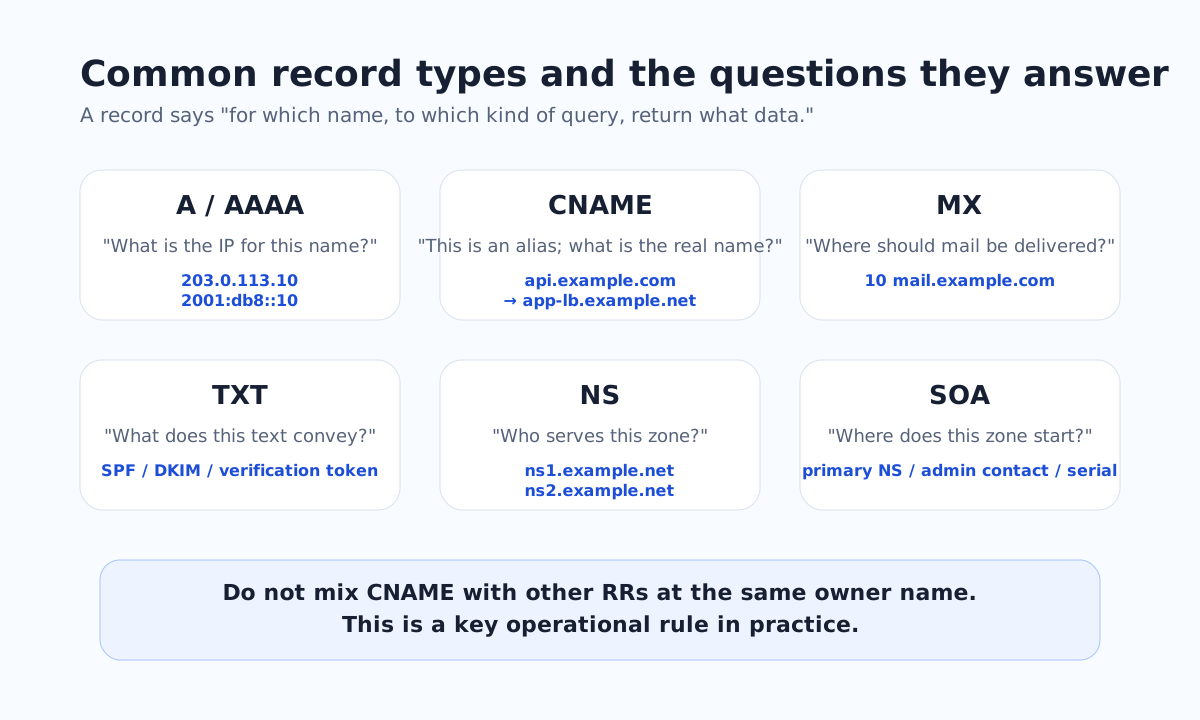
When you learn DNS records, it is faster to organize them by which question each record answers than to memorize a flat list. A answers "what is the IPv4?", MX answers "which host is the mail delivery target?", and NS answers "who serves this zone?"
| Type | What it answers | Typical use | One-liner |
|---|---|---|---|
| A | The IPv4 for a name | Web / API / LB target | The most basic destination |
| AAAA | The IPv6 for a name | When serving over IPv6 | Often sits alongside A |
| CNAME | An alias from one name to its canonical name | SaaS hookups, LB aliases | Don't mix other RRs on the same owner name |
| MX | Mail delivery target hostname | Mail receipt | The value is a hostname, not an IP |
| TXT | String data | SPF, verification tokens, ownership proof | Meaning is assigned by the application |
| NS | The authoritative server names that serve the zone | Delegation, pointing to authoritatives | A signpost to the next stop |
| SOA | The start of the zone and its management info | Serial and timer baselines | Marks the scope of responsibility for the zone |
0 / 6 correct. Correctness is stored only in this browser's localStorage.
Practice 4-1 — Tell basic types apart from their usage
Make sure you can go from a use case back to A / AAAA / TXT.
Q17. Which record type returns the IPv6 address for api.example.com?
Show hint
A is for IPv4; there is a separate type for IPv6.
Q18. Which record type is most commonly used to publish domain ownership tokens or SPF strings?
Show hint
It is the type that holds string data.
Read through one zone file
Behind a control panel, broadly the following information is being represented.
$ORIGIN example.com.
@       3600 IN SOA ns1.example.com. hostmaster.example.com. (
                2026041801 3600 600 1209600 300 )
        3600 IN NS    ns1.example.com.
        3600 IN NS    ns2.example.com.
www      300 IN A     203.0.113.10
www      300 IN AAAA  2001:db8::10
api      300 IN CNAME service.vendor.net.
@       3600 IN MX    10 mail.example.com.
mail     300 IN A     203.0.113.20
txt-demo 300 IN TXT   "verify=abc123"
Quick guide for reading a zone file:
$ORIGIN example.com.— declares the base domain that gets appended to short, unqualified names in this file. The barewwwbelow is internally treated aswww.example.com..@— an alias for$ORIGIN. In this example it refers toexample.com.itself (the zone apex).- The trailing dot (
.) — marks the name as a fully qualified domain name (FQDN). For instance,ns1.example.com.ends with a dot and is therefore absolute, whereasns1(no trailing dot) gets$ORIGINappended and becomesns1.example.com.. Because the trailing dot changes the meaning, it requires special care in zone files.
In this example, www is a canonical name holding A / AAAA, and api is pointed with CNAME at an external load-balancer name. MX identifies mail.example.com as the mail delivery target, and you then resolve A / AAAA for that name.
Practice 4-2 — Read the meaning of CNAME and MX
Distinguish between an alias, a canonical name, and a delivery target.
Q19. Given api.example.com CNAME service.vendor.net, which description is closest?
Show hint
CNAME means "alias."
Q21. Which of the following is a valid MX record value?
Show hint
MX does not return a final IP; it returns a value that can be resolved further.
Easy pitfalls with CNAME and the zone apex
CNAME states that "this name is an alias." If you mix other data such as A / MX / TXT on the same owner name, it becomes ambiguous whether this name is a canonical name or an alias.
In practice, the request "I want to put a CNAME at the zone apex" comes up often, but the apex requires SOA and NS. That collides with the standard plain CNAME in DNS. For that reason, some DNS providers offer ALIAS / ANAME or similar proprietary features to approximate that behavior.
The value of
example.com MX is not an IP but a delivery target hostname. Follow the order MX → A / AAAA of the delivery host.
Practice 4-3 — Count how many resolution steps actually run
Review the CNAME co-existence rule and the two-step resolution for MX.
Q20. In standard DNS thinking, select all record types that should not co-exist with CNAME on the same owner name.
Show hint
A node that has CNAME normally only says "this name is an alias."
Q22. Suppose example.com MX 10 mail.example.com and mail.example.com A 203.0.113.20 exist. How many distinct owner names do you traverse, at a minimum, to reach the delivery IP?
Show hint
First the MX of example.com, then the A/AAAA of mail.example.com.
Key takeaways from this chapter
- Remember record types by "which question do they answer?"
- CNAME is an alias, and you should not mix other RRs on the same owner name
- MX returns a hostname, not an IP, and you must resolve A / AAAA from there